...
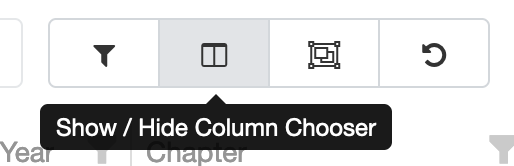
- Open the Column Chooser:
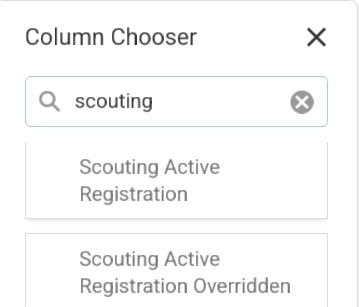
- In the search box at the top of the column chooser, type in 'scouting', then click and hold on "Scouting Active Registration" and drag it into the grid. When you see a blue line between columns, you can let go, and it will add the column in that spot.
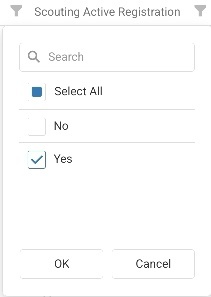
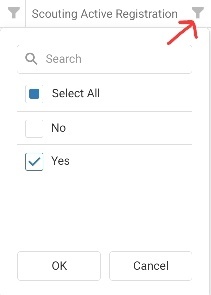
- Click on the filter pin (see the red arrow below) on the Scouting Active Registration column, then pick "Yes", then click OK at the bottom
- At this point you should have a list of people who haven't paid dues *and* are still Scouting America members. Go ahead and start your email.