...
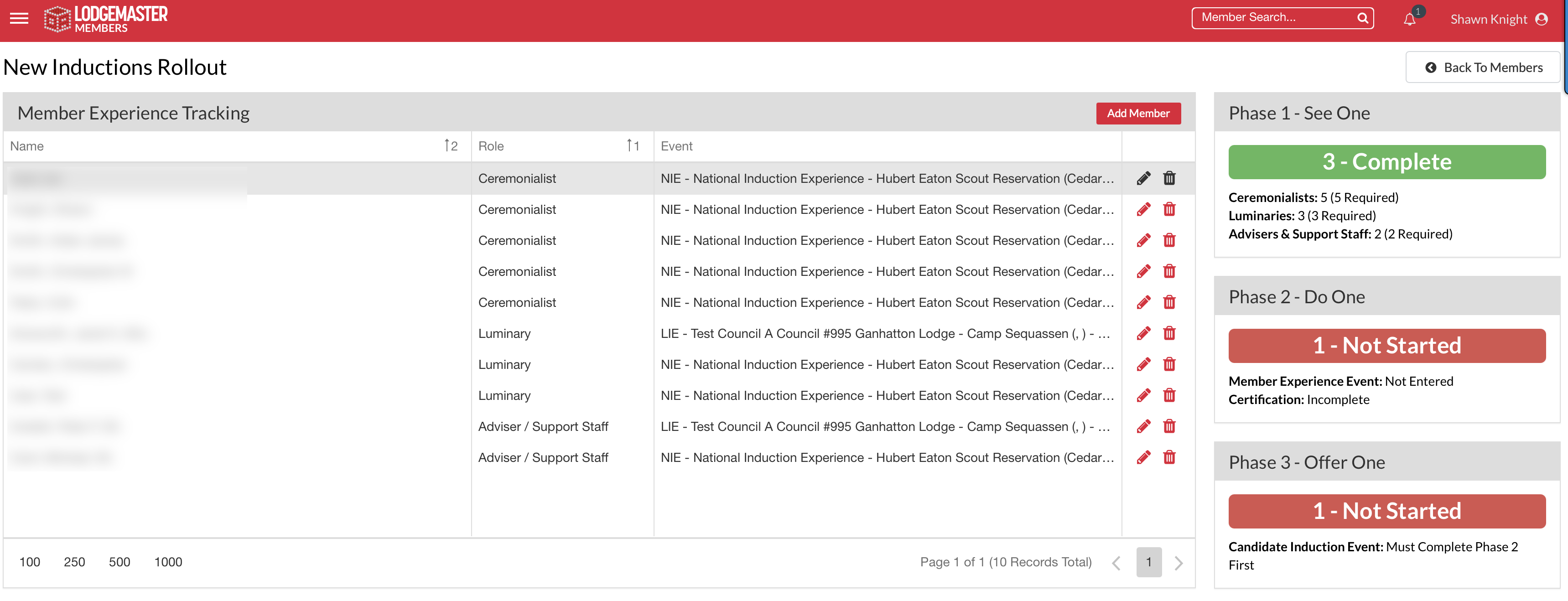
Upon completion of Step One, the status indicator will update and should resemble the screen below.
Note: This is the only step you need to do for Step One. If you chose to record Step One as a lodge event DO NOT check the "New Inductions Rollout" boxes.
...
To schedule the event, create an event using the steps listed in the Event Manger guide. When creating an event where existing members are going through the new induction, select the Member Experience check box.
DO NOT select any of the checkboxes under the existing "Inductions" field (for Ordeal, Brotherhood and/or Vigil). These will trigger automated messages to candidates / eligible members.
Note: Scheduling an event is what trigger the OA National Office to ship the lodge's complimentary induction materials kit. Any delay in posting your event in OALM will delay your lodge kit shipment.
...
It is critical that all lodge members who attended the event, especially as participants of the new induction are logged on the Event Roster. When adding individuals to the event roster who participated in an induction experience, please select the role of "Induction Experience." This will ensure the OA has accurate representation of existing members who have been through the new induction.
Details on managing event attendance can be found in the guide guide here. This ensures accurate reporting of the number of members who have experienced the new induction.
Step Three - Offer One Reporting
...